
4Fun lite - Group Voice Chat
SpreadFunSocial
4.2157.00 Reviews
- Version
- 7.69
- Installs
- 10.00M
- Age Rating
- Mature 17+
Screenshots




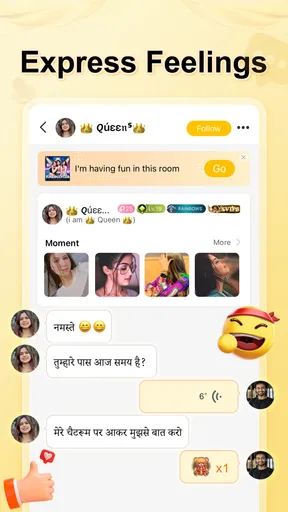

Our Review of 4Fun lite - Group Voice Chat
 Analysis by Appyee
I approached 4Fun lite - Group Voice Chat as a social app for people who want conversation to feel more immediate than typing, but less formal than joining a scheduled online meeting. Its focus is live chat rooms, so the experience depends less on building a polished profile and more on finding a room where the pace, tone, and audience suit you. In my use, that makes it feel spontaneous and easy to sample, although the same openness can also make the experience unpredictable.
The app is free to install, belongs to the social category, and comes from SpreadFun. It has reached over 10 million installs and holds a 4.2 average from around 59 thousand ratings, which suggests that the basic idea works for a substantial audience. I would not treat those figures as a guarantee that every room will be enjoyable, though. A live community app changes from room to room, and your experience will depend heavily on the people active when you open it.
How the live-room design affects everyday access
When I judge whether a live-room app can earn a place in an everyday routine, I look beyond the first burst of curiosity: the real test is whether joining feels easy enough to repeat without turning into another obligation. I’d weigh how readily I can find a comfortable conversation against the effort of keeping up once I’m there, which leads naturally to the question of what makes those rooms welcoming—or tiring—over time.
Readability and navigation
The most important accessibility question here is not whether the app contains an impressive number of tools; it is whether I can understand where I am and what to do next without feeling lost. A room-based social app has a naturally simple starting point: enter a conversation, listen, and decide whether to participate. That is less demanding than learning a large network with many separate content types.
For someone who prefers short sessions, this structure is useful. I can open the app with a specific intention, look for a live conversation, and leave when the room no longer feels comfortable. That quick in-and-out rhythm is one of its strongest qualities. It also helps people who find long text feeds tiring, because the main appeal is hearing people interact rather than reading a constant stream of posts.
At the same time, live rooms can be harder to scan than ordinary social feeds. A written post can be reread, translated, enlarged, or considered before responding. Voice conversation moves forward whether I am ready or not. If several people speak quickly, use unfamiliar expressions, or change subjects without warning, it becomes difficult to reconstruct what happened after I lose concentration.
My practical advice is to treat the first few minutes as an orientation period. Listen before speaking, notice the room’s pace, and leave quickly if the conversation feels chaotic. That is more effective than trying to force every room to work for you. I also found that choosing a quieter conversation is a better accessibility strategy than relying on willpower in a crowded one.
The app’s mature audience label matters here. It is marked for Mature 17+, so I would not recommend handing it to a younger teenager simply because the download is free. Adults should also remember that a live room is not the same as a carefully moderated, family-oriented space. The label sets an important expectation about the kind of social environment a user may encounter.
Motor and sensory considerations
Voice interaction can reduce the amount of typing required, which is valuable for people who find extended keyboard use uncomfortable or slow. In a realistic situation, I can imagine using it while taking a break from work, when my hands are occupied with a simple household task, or when speaking feels easier than composing a message. That does not make the app universally accessible, but it does give it a meaningful advantage over text-first communities.
There is a trade-off: voice removes some physical effort while increasing the demand on hearing, attention, and speech. A person with hearing loss may find a fast room difficult to follow if the conversation is not also represented in text. Someone with a speech disability may prefer listening or communicating only when the room allows a slower exchange. A user with sensory sensitivity may be uncomfortable with overlapping voices, sudden changes in volume, or an intense stream of social activity.
I would approach the app with a personal comfort plan rather than assuming every room will suit every ability. Keep the listening volume at a level that remains comfortable, use headphones only if they help rather than isolate you from your surroundings, and take breaks before a noisy session becomes exhausting. These are simple habits, but they make a noticeable difference in a live audio setting.
Another useful tactic is to decide in advance whether you are there to speak, listen, or simply explore. That removes pressure and makes the interface feel less demanding. If you are nervous about joining a room, listening first can help you judge whether people take turns respectfully. If you are already tired, a short visit is wiser than trying to follow a high-energy discussion for an hour.
For motor access, the app is most appealing when the user wants to replace some typing with speech. It is less suitable when precise touch controls, rapid switching, or repeated tapping become difficult. Live social apps reward quick reactions, so anyone with limited dexterity should not feel obliged to keep pace with the room. Leaving, pausing, or choosing a calmer space is a valid way to use it.
Situational access beyond the ideal setting
4Fun lite makes the most sense when I have a stable moment for casual conversation. It can fill a gap during a quiet evening, offer a way to hear different personalities, or provide a low-commitment social activity when I do not want to arrange a call with friends. The lack of a scheduled appointment is useful: I can participate when I have time instead of promising to be available later.
It is not a good companion for every environment. I would avoid using a live voice room while driving, cycling, crossing streets, operating equipment, or doing anything that requires full attention. I would also be careful in shared spaces such as libraries, classrooms, workplaces, and public transport. Even if I am comfortable speaking, the people around me may not want to hear a conversation, and background noise can make the experience frustrating for everyone.
A realistic everyday example would be an adult returning home after a long day and wanting social contact without the effort of arranging a private call. I might open a room, listen for a few minutes, contribute if the discussion feels welcoming, and leave before dinner. That is where the app’s casual design works well. It gives me a social option that does not require a long-term commitment.
Another scenario is language practice through informal listening, but I would keep expectations modest. Live rooms can expose me to natural speech and different conversational styles, yet the pace may be too quick for careful study. A dedicated language-learning service would be better for structured lessons, corrections, and progress tracking. This app is closer to spontaneous social exposure than to a classroom.
People with limited data, battery, or connection stability should also think about when they use it. Live voice depends on a reliable connection more than a delayed text message does. If the network is weak, interruptions can make a conversation tiring and can cause me to miss context. I would save it for a place where the connection is dependable rather than treating it as an offline activity.
The app runs on Android versions from 7.0 onward, which gives it a broad device range. That is helpful for people who keep an older phone instead of upgrading frequently. Still, operating-system compatibility does not automatically mean that every older device will deliver the same smooth experience. Room activity, connection quality, and the phone’s general condition can all affect how comfortable live conversation feels.
What the free model means in practice
The app is free, but it includes in-app purchases ranging from eleven cents to $299.99 per item. That range is worth noticing before spending time in the community. I would begin with the free experience, decide whether the rooms are genuinely useful to me, and only then consider whether any optional purchase adds value. A social app can become expensive when small, repeated purchases feel tied to attention or participation.
This is also a point where different users need different boundaries. Someone who wants occasional conversation may have no reason to buy anything. Someone who enjoys the social economy around live rooms may be more tempted. I recommend setting a personal spending limit before exploring optional items, especially if the app becomes part of a daily routine. The free download should be judged on its own rather than as an invitation to spend.
The current version is 7.69, and the app was released on July 24, 2020. Those details place it in an established, actively recognizable product rather than a brand-new experiment. For me, the more useful question is still whether its current room culture matches my needs. Longevity can bring a larger audience, but it can also mean that newcomers must spend time learning the community’s habits.
Remaining barriers and where alternatives win
The biggest barrier is the live format itself. If I miss a sentence, there may be no convenient way to recover it. In a messaging app, I can scroll back. In a forum, I can read at my own pace. In a video meeting, the purpose and participants are often known in advance. Here, the informal room can be more relaxed, but it may offer less structure and less control over the flow.
That makes a conventional messaging app the better choice when I need accurate information, a written record, or a conversation that can be answered gradually. A private voice or video call is usually better when I need predictable participants and stronger control over who is present. A moderated community may be preferable for users who need clearer behavioral expectations. 4Fun lite is strongest when spontaneity matters more than documentation.
Privacy is another practical consideration. I would avoid sharing identifying details, financial information, workplace information, or anything I would not want repeated by a stranger. The casual tone of a room can make people disclose more than they intended. I would also avoid assuming that a friendly speaker is automatically trustworthy. The app’s social value comes from meeting people, but that requires sensible boundaries.
There is a social barrier for quieter users as well. A room dominated by confident speakers can make participation feel like an audition. I would not judge the entire app after one uncomfortable visit. Instead, I would try different rooms and give myself permission to remain a listener. However, if I repeatedly find that the culture rewards interruption or constant performance, a slower text community may be a better fit.
Users who depend on captions, transcripts, visual alerts, or carefully documented conversations should be especially cautious about making this their main social platform. Live audio can be inclusive for people who dislike typing, but it can exclude people who need text support to follow speech. The right choice depends on which barrier is more significant for the individual, and there is no single accessibility profile that fits everyone.
Who should try it, and who should skip it
I would recommend trying it if you enjoy informal group conversation, want a low-commitment way to meet people, and are comfortable judging rooms for yourself. It is particularly appealing to users who find typing tiring, prefer listening to reading, or want social contact without arranging a formal call. The free entry point makes a short experiment reasonable, provided the mature audience label and purchase options are understood.
I would skip it if you need dependable moderation, private one-to-one communication, a complete written history, or a carefully controlled audience. I would also choose another service if noisy, fast-moving speech is tiring, if you require captions or transcripts to participate, or if your main goal is structured learning. Those are not minor preferences; they affect whether the central live-room format is usable.
One non-obvious strength is that the app can work as a social “sampler.” I do not have to commit to one community immediately. I can compare the pace and tone of several rooms, notice which environments respect turn-taking, and build my own rule for deciding when to stay. That flexibility is more valuable than it first appears, especially for someone who is unsure what kind of online social space feels comfortable.
One important weakness follows from the same design: the quality is uneven. A large audience creates more chances to find an engaging conversation, but it also increases the chance of encountering a room that is loud, immature, or simply uninteresting. I would use the app actively rather than passively, leaving poor matches quickly instead of treating every room as representative of the whole service.
My inclusive verdict
After looking at it through the lens of different abilities and everyday contexts, I see 4Fun lite as a flexible but demanding social tool. Its voice-first character can remove the burden of long typing sessions and make casual interaction feel immediate. Its free access and broad Android support lower the initial barrier to trying it. SpreadFun has built something that can be useful for short, spontaneous social visits.
Its limitations are just as central. Live speech can be difficult to revisit, noisy rooms can overwhelm, and the mature audience setting means this is not a general-purpose family app. The in-app purchase range also deserves deliberate handling rather than casual tapping. Most importantly, users who rely on text-based access should not assume that voice conversation will meet their needs.
My recommendation is to try it with a clear purpose: choose a calm room, listen first, protect your personal information, and decide whether the format helps or drains you. If you want unplanned group conversation and can manage the sensory and privacy trade-offs, it is worth exploring. If you need structure, records, predictable participants, or strong text support, a messaging app, private call, or moderated community will probably serve you better.
The best reason to use 4Fun lite is not that it replaces every other social app; it is that it offers a quick doorway into live conversation. For the right person and the right moment, that doorway feels welcoming. For someone who needs control, quiet, or accessible text, knowing when not to enter is equally important.
Verdict
Strengths of 4Fun lite - Group Voice Chat
- Lightweight app uses less storage and mobile data.
- Quick access to public voice rooms and casual conversations.
- Supports social interaction without requiring video calls.
- Room discovery makes it easy to find active communities.
- Lite design can perform better on budget Android devices.
Limitations of 4Fun lite - Group Voice Chat
- Voice quality may vary with weak or unstable connections.
- Public rooms can include noise, interruptions, or unwanted behavior.
- Smaller user base may limit activity in some regions.
- Privacy depends on how carefully you share personal information.
- Some features or rooms may require in-app purchases or accounts.
Similar Picks in This Category
View All
Meta Platforms, Inc.4.6

Instagram4.0

Likee-Live, Chat & Party Games
Likeme Pte. Ltd.4.4

Facebook Lite
Meta Platforms, Inc.4.5

TikTok - Videos, Shop & LIVE
TikTok Pte. Ltd.4.0

Moj: Free Short Drama & Reels
ShareChat4.1
Frequently Asked Questions
What is 4Fun lite - Group Voice Chat?
4Fun lite is a social communication app focused on group voice conversations and casual interaction. After exploring its interface, the main experience centers on joining or creating voice rooms, meeting other users, and participating in live discussions. It is designed for people who prefer real-time audio chat rather than traditional text messaging, although available features may vary by region and app version.
How does group voice chat work in 4Fun lite?
The app organizes conversations into voice rooms where multiple participants can talk, listen, and interact. Depending on the room settings, you may be able to request speaking access, mute your microphone, leave a conversation, or communicate through additional social tools. Before speaking, it is worth checking the room rules and privacy settings, since some rooms can include users you do not know personally.
Is 4Fun lite free to download and use?
4Fun lite can generally be downloaded without an upfront purchase, but free access may include advertising, optional virtual items, or in-app purchases. Some social features, gifts, premium benefits, or account options could require payment. We recommend reviewing the store listing and the purchase settings on your device before using paid functions, especially if children or shared devices have access to the account.
Is 4Fun lite safe for teenagers and younger users?
Because 4Fun lite is built around live interaction with other people, parents should treat it like any open social or voice-chat platform. Conversations and user-generated content may not always be predictable or suitable for every age group. Review the app’s age rating, enable available privacy and moderation controls, avoid sharing personal information, and use blocking or reporting tools whenever another user behaves inappropriately.
What permissions and internet connection does 4Fun lite require?
A stable internet connection is important because voice rooms rely on real-time data and may perform poorly on weak Wi-Fi or mobile networks. The app may request microphone access so you can speak, along with notification and account-related permissions depending on the features you use. You can deny permissions that are not necessary, but refusing microphone access will limit the core voice-chat experience.
